

If you sit through long workdays, small choices can pay off in better focus and fewer aches. This guide explains what sitting does to your body, how short movement breaks help, and the easiest ways to fit stretches and walks into a busy schedule.
Quick takeaways
- Short walking breaks during the workday can lower blood pressure and improve blood sugar control.
- Regular microbreaks, gentle stretches, and better workstation setup reduce discomfort and support productivity.
- Outside the office, aim for weekly activity that includes cardio and basic strength work.
Why Sitting All Day Strains Your Body
When you sit for hours, hip flexors tighten, glutes and core switch off, and the mid‑back stiffens. Neck and shoulder muscles pick up the slack. Over time this can show up as tight hips, achy low back, and tension headaches. Movement acts like a reset, restoring circulation and joint motion so tissues tolerate the next block of work better.
What the Science Says
Here is a quick, research-backed summary of how movement breaks help during long sitting:
- National guidelines: Adults who reach about 150 minutes of moderate activity weekly plus 2 days of strength work see broad health benefits. Any bout length counts; short sessions add up over the week.
- Break up long sitting: Lab and workplace trials report that 1–5 minute walking breaks about every 30 minutes improve blood sugar control and lower blood pressure compared with continuous sitting, especially after meals.
- Comfort and function: Microbreaks of 30–120 seconds with simple posture changes and stretches can reduce neck and low‑back discomfort without hurting productivity, according to office‑worker studies and ergonomics programs.
- Focus and energy: Brief activity snacks during the day can reduce fatigue and help attention and mood in desk workers.
The Easiest Microbreak Plan
Pick a schedule you can keep most days. Start small, anchor breaks to natural pauses like meeting switches or email sends, and build up as the routine gets easier.
- Good: Stand up, roll your shoulders, and look far away for 30–60 seconds every 30 minutes.
- Better: Add 1 minute of easy hallway walking every 30 minutes.
- Best: Take a 5 minute walk every 30 minutes during longer seated stretches, especially after meals.
Tip: Use a timer or calendar nudge, align breaks with emails or task switches, and keep a simple log the first week.
6 Desk Stretches that Take 60 Seconds
Use these quick stretches to reset stiff areas during the day. Move slowly in a pain-free range. Stop and consult a chiropractor if you feel sharp pain, numbness, or tingling.
1. Neck Reset
Chin nods to lengthen the back of the neck, then turn to look right and left, 5 reps each. Tip: keep shoulders relaxed and jaw unclenched. Option: add 3 gentle side bends each way.
2. Chest Opener
Doorway pec stretch with forearm on the frame at or just below shoulder height, 20–30 seconds each side. Tip: step forward until you feel a mild stretch across the chest, not the front of the shoulder.
3. Mid‑back Mobility
Hands on desk, sit back into a mini child’s pose, 5 slow breaths. Option: seated thoracic rotation, hug yourself and rotate right and left, 5 reps each way.
4. Hip Flexor Relief
Half kneel next to your chair, tuck the tailbone and lightly squeeze the glute, 20–30 seconds each side. Standing option: split-stance lunge with a small posterior tilt, hold 20 seconds each side.
5. Hamstring Glide
One heel on a low stool, hinge forward with a flat back until you feel a light stretch behind the thigh, 15–20 seconds each side. Seated option: extend one knee under the desk and gently flex the ankle, 5–8 slow reps.
6. Wrist Care
Prayer stretch, then reverse prayer stretch, 15–20 seconds. Add 10 slow wrist circles each way and open and close the hand for 10 reps.
Quick 2 minute sequence: Do chest opener right and left for 20 seconds each, hip flexor relief right and left for 20 seconds each, then 5 neck turns and 5 desk child’s pose breaths.
Ergonomic Quick Fixes
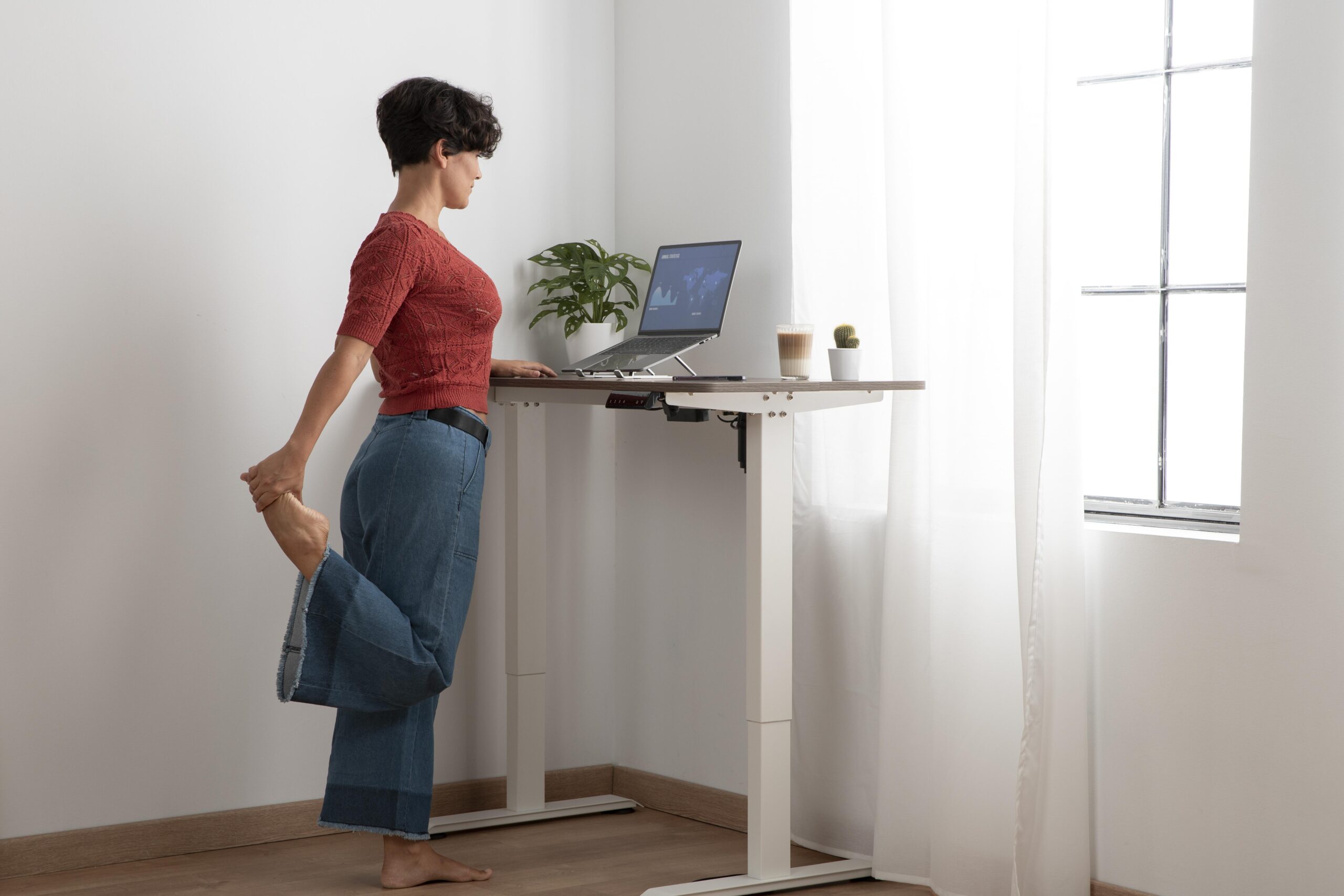
Set up your workstation with these quick fixes to lower strain and improve comfort:
- Screen: Top of screen at or just below eye level and about an arm’s length away. Center your primary monitor. If you use two, align heights, place the main screen directly ahead, and angle the second slightly. Reduce glare by placing screens perpendicular to windows.
- Laptop setup: Use a stand to raise the screen to eye level and add an external keyboard and mouse so wrists stay neutral.
- Chair: Hips slightly higher than knees, back supported, feet flat. Adjust seat height so thighs are level and there is 2 to 3 finger widths of space between the chair edge and calf. Use lumbar support to maintain the natural curve. Set armrests to lightly support forearms without hiking shoulders.
- Keyboard and mouse: Elbows near 90 degrees, wrists neutral. Keep the keyboard flat or with a slight negative tilt. Use a full‑size mouse if forearms get tight. Consider switching mousing sides at times to share load.
- Phone and documents: Use a headset for long calls. Place a document holder next to the screen so your neck stays neutral.
- Layout and reach zones: Keep the most used items within a forearm’s reach to reduce twisting and reaching. Store heavy or infrequent items in the outer zone.
- Standing desk tips: Alternate sitting and standing through the day, for example 30 to 45 minutes sitting then 15 to 30 standing. Keep the screen and elbows at the same relative heights as when seated. Use an anti‑fatigue mat and supportive shoes.
- Lighting: Balance room lighting to match screen brightness. Avoid overhead glare and harsh reflections.
- Small habits: Sit back against the chair, keep feet supported, and change posture every 30 to 45 minutes.
Move Beyond the Desk
Beyond your workstation routine, aim for about 150 minutes of moderate activity each week plus two days of muscle‑strengthening for major muscle groups, broken into small chunks across the week. Short walks after meals can support blood sugar control and energy. On busy days, stack simple exercise snacks like stairs, a brisk lap around the building, or a 10 minute walk during a call.
FAQs
Do I need special equipment? No. A timer, comfortable shoes, and a few stretches are enough to start.
What if I can’t leave my desk every 30 minutes? Do what you can. Even 30–60 seconds of posture change and deep breaths help. Pair movement with natural pauses like email sends or meeting switches.
Will this help my back and neck pain? Many people feel better with regular breaks and simple stretches. If pain lingers, get evaluated so you can add a tailored plan.
Ready for a Plan that Fits your Workday?
Daily movement breaks and better ergonomics help, and when pain lingers or keeps returning, chiropractic adjustments can restore joint motion, reduce nerve irritation, and make those new habits more effective. A careful exam can identify what is driving your desk-related symptoms and pair precise adjustments with a simple mobility and strength plan you can follow.
We help desk workers reduce pain and improve focus with simple, sustainable routines.
Book an appointment online or call (512) 501-6941.